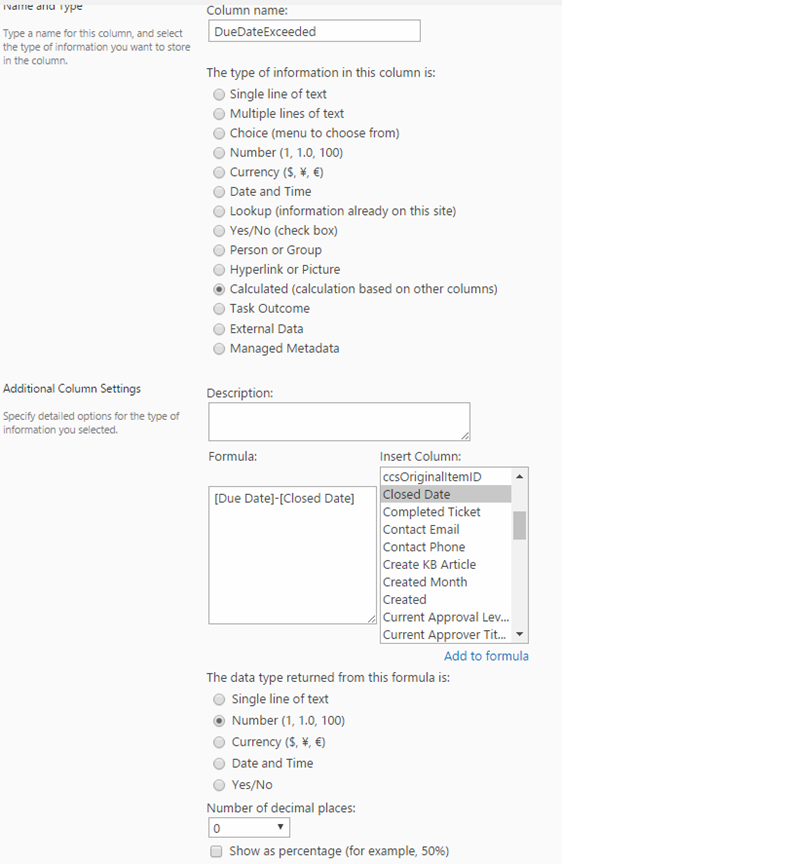
Step-1 : Create a Calculated column in Tickets list with formula like below.
Say Column name as ‘DueDateExceeded’
Formula: [Due Date]-[Closed Date]
Step-2 :
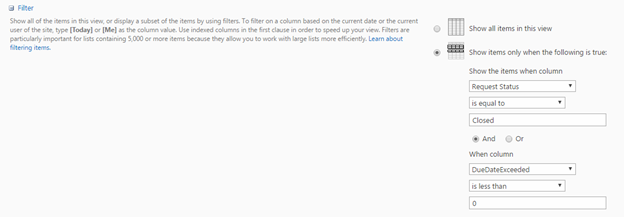
Create a view in tickets list with Conditions like below
(say view name ‘DueDateExceeded view’)
Step-3: Creation of Report
Go to Report Center -> Manage Reports -> Create New Report,
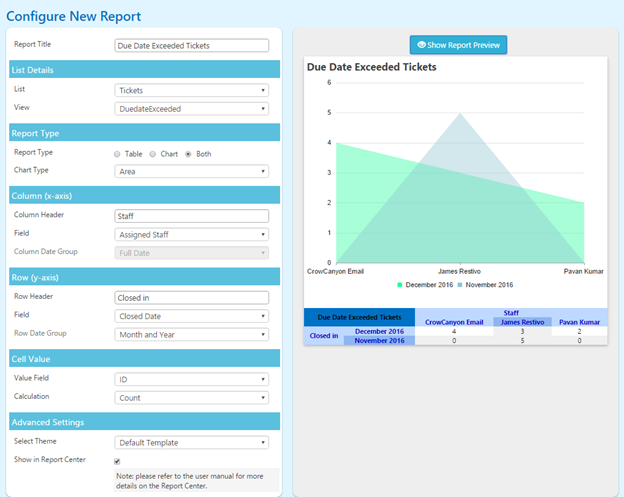
Create a report like below -> click Save.