

Introduction
NITRO Studio On-premises provides an option to install the package in a common location for the site collections in a web application. Previously, every site collection was required to have its own separate package. This required additional time during initial install and then subsequent updates.
You can continue to use the package from the site collection or choose to move to new common package location.
For common package location:
- Typically, it will be in the root site collection of the web application. But it can be any site collection, there is no requirement that it must be the root site collection.
- Ensure that users of the other site collections have at least read permissions on the ‘CrowCanyonNITRO’ library in the root site of the package site collection.
- URL will be like: <Site Collection URL>/CrowCanyonNITRO/
- You can manage permissions from the library settings page.
- Grant ‘Everyone’ the read permissions, if not already.
- This library does not have any user data. It has NITRO Studio related scripts and other files.
- Site collection must have same domain as the site collection where package is installed. Otherwise, access to the common package may get restricted due to login prompts and NITRO Studio functionality will not work.
- For host named site collections, continue to use the site collection level package.
Steps to move existing site collections to common package
- Ensure that you have the latest NITRO Studio package installed. Contact Crow Canyon support team for the package.
- For site collection that will host the package:
- Identify the site collection to host the package
- Install package using NITRO Helper Utility
- Ensure permissions are granted to ‘CrowCanyonNITRO’ library as detailed above.
- For the site collection that needs to switch to the common package:
- Using NITRO Helper Utility, set the new package location.
- Navigate to NITRO Studio and update all the NITRO activated sites.
- Assuming the sites are using a lower package, this will typically be the case.
- Otherwise, run the NITRO Repair on each of the NITRO activated sites in the site collection.
Detailed Instructions
For these steps:
- Site hosting the common package:
- Site name: secure5
- Site URL: http://hpdev19sp16/sites/secure5/
- Site that is currently using its own package and needs to move to common package:
- Site name: secure
- Site URL: http://hpdev19sp16/sites/secure/
Install package in secure5
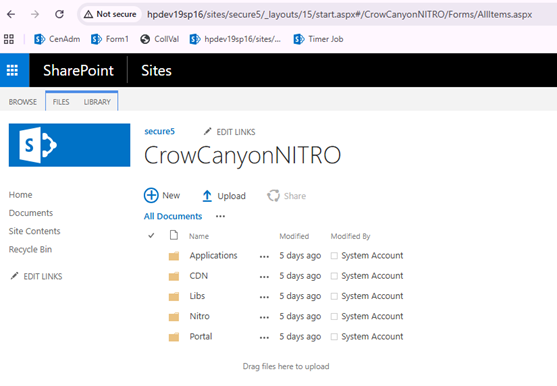
‘CrowCanyonNITRO’ library with NITRO artifacts:
Site collection before moving to common package.
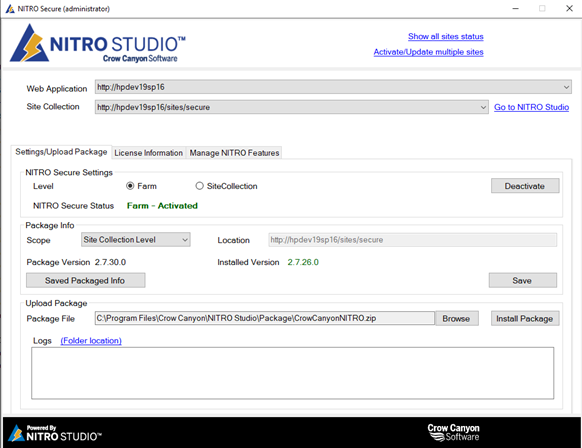
Note: You can continue to use the package from the current site collection if you do not wish to move to common package at this time.
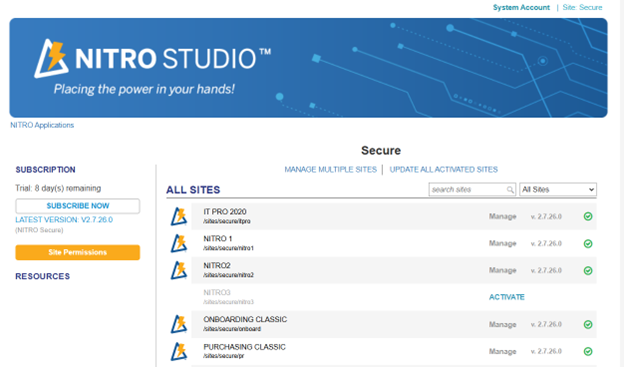
Site collection is currently on NITRO version 2.7.26.0:
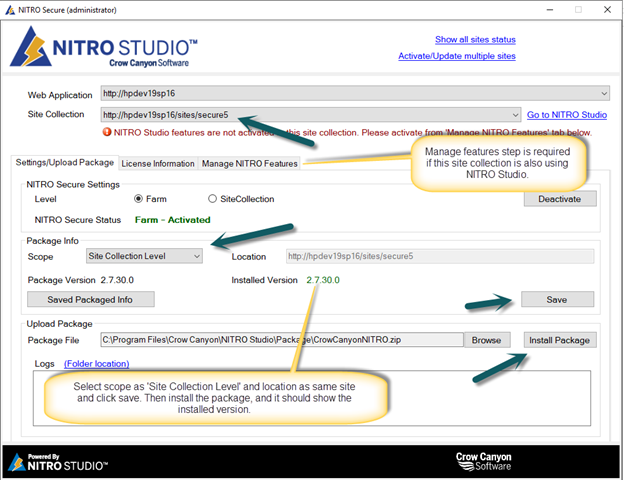
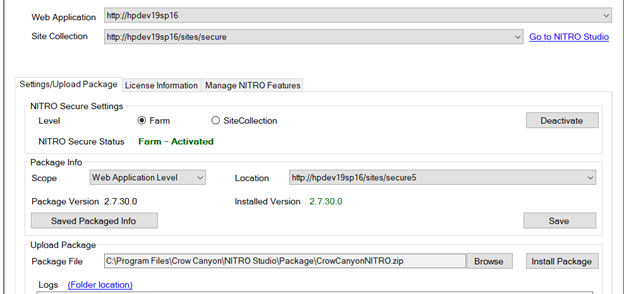
Change the ‘Package Info’ settings as shown below and then click ‘Save’.
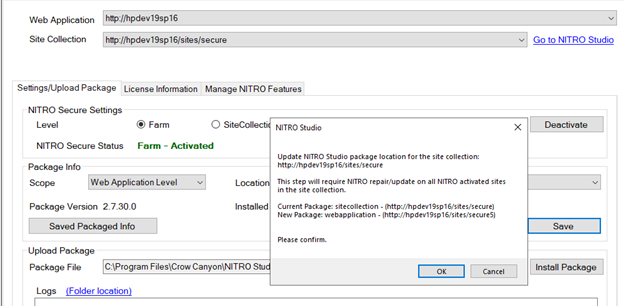
Click ‘Ok’ to change the package location:
NITRO Studio will now show the new version:
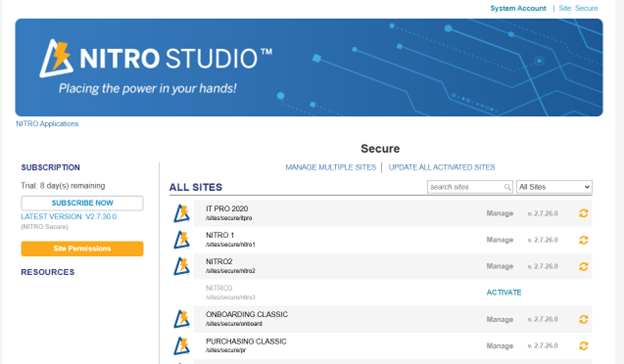
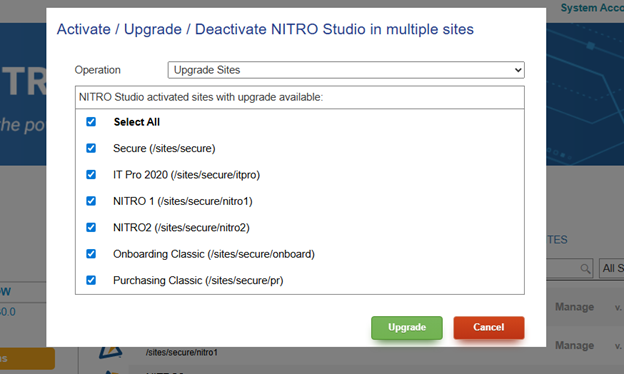
Click ‘MANAGE MULTIPLE SITES’ to update all activated sites to latest version. This step will also change the references for NITRO apps; they will start using the package from common location instead of the site collection level package. Note that this step will take some time, each site will take 5 to 15 minutes depending on your server performance.
Repeat these steps for other site collections that need to move to common package. This is a one-time upgrade process and going forward packages need to be updated only in the common site collection.
