Crow Canyon Software Forum
Filtered ListView count in drop down list is not reflecting filtered items count

Quote from Brian on December 31, 2025, 9:34 amWe have a ListView on one of our sites where the ListView "Show View Items Count" would be very useful, however because we are filtering the results shown using the Advanced Settings / Javascript / scriptManager.IsItemVisible to filter out entries based on permissions (which is working). The count in the drop down list is the original view results count, and not the filtered results shown. Is there any way to either update the count or have it reflect the count of rows visible?
We have been upgraded to version 3.x, but we did see this prior to the upgrade.
We have a ListView on one of our sites where the ListView "Show View Items Count" would be very useful, however because we are filtering the results shown using the Advanced Settings / Javascript / scriptManager.IsItemVisible to filter out entries based on permissions (which is working). The count in the drop down list is the original view results count, and not the filtered results shown. Is there any way to either update the count or have it reflect the count of rows visible?
We have been upgraded to version 3.x, but we did see this prior to the upgrade.
Uploaded files: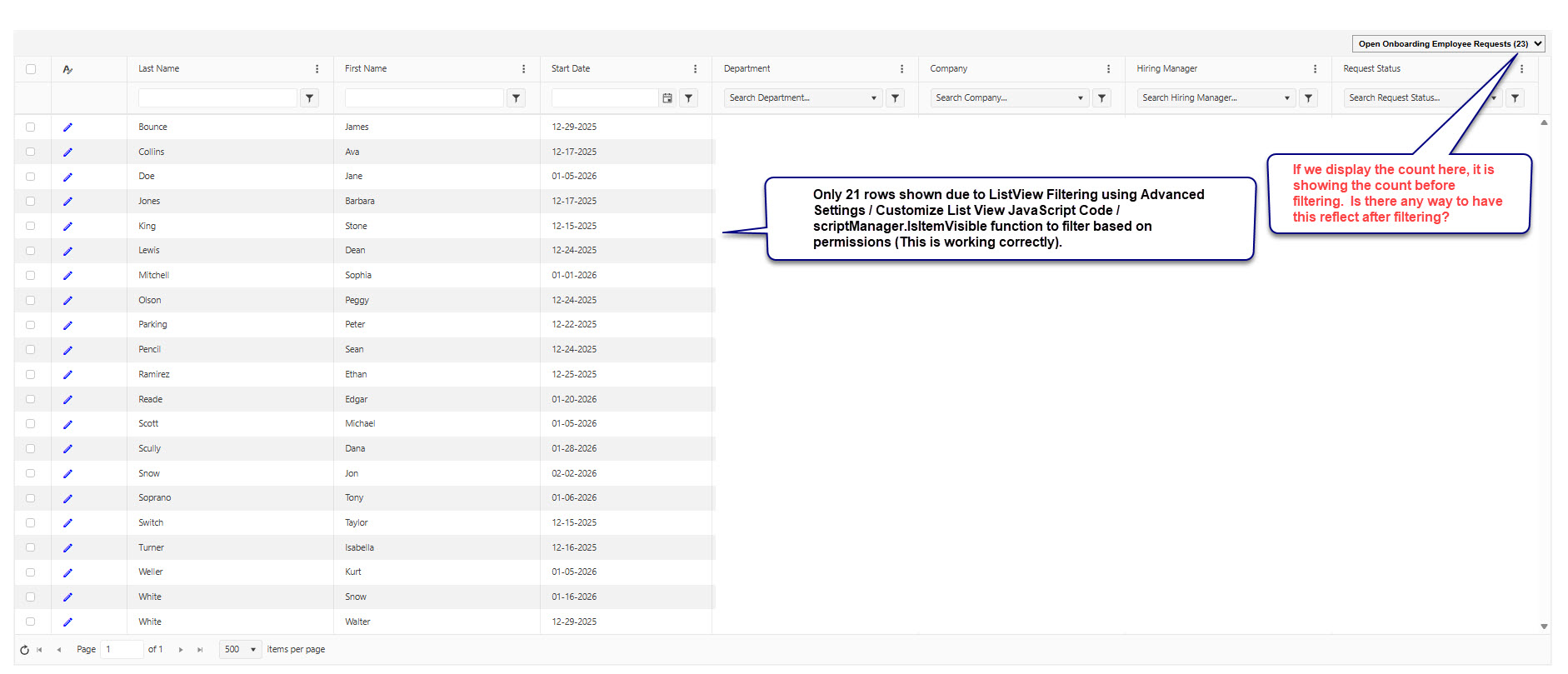

Quote from supportTeam on January 2, 2026, 2:43 pmHi Brian,
Could you please share the script used in the List view settings and we will check this.
Hi Brian,
Could you please share the script used in the List view settings and we will check this.
Quote from Brian on January 6, 2026, 5:54 pmHere's a simple recreation, 3 columns (Title, Status, AssignedTo), all Single line of text
For the script, I'm only showing the entries with my name in the AssignedTo column.
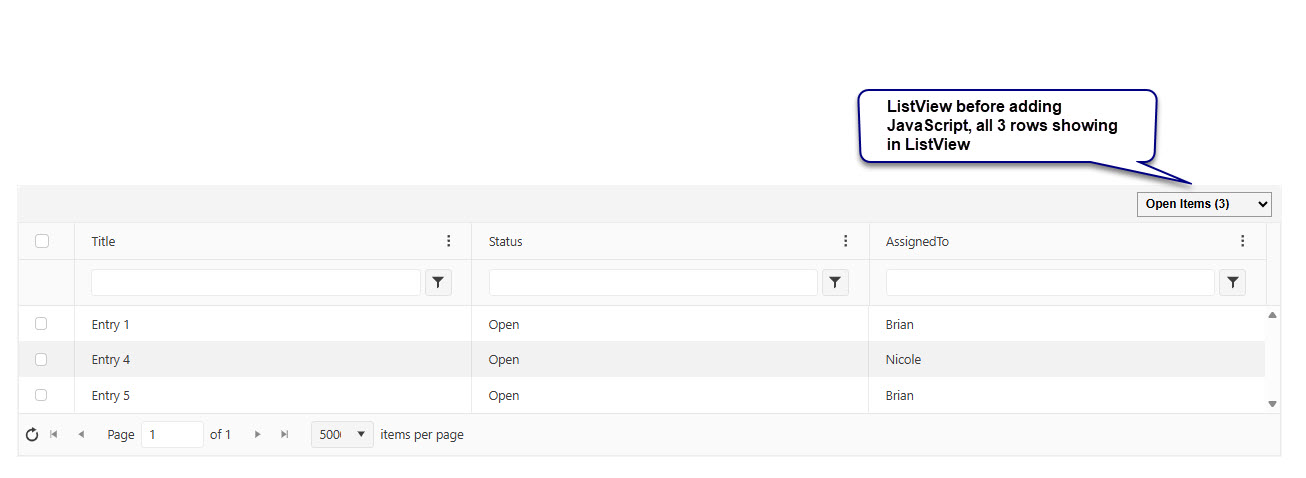
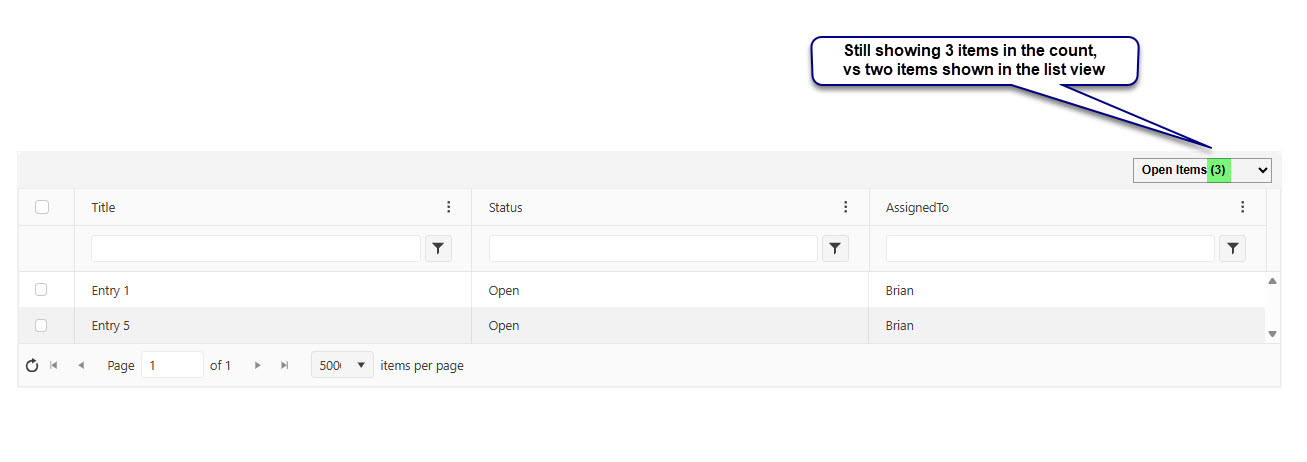
Have included screenshots before and after applying the filter.
Here's a simple recreation, 3 columns (Title, Status, AssignedTo), all Single line of text
For the script, I'm only showing the entries with my name in the AssignedTo column.
Have included screenshots before and after applying the filter.
Uploaded files: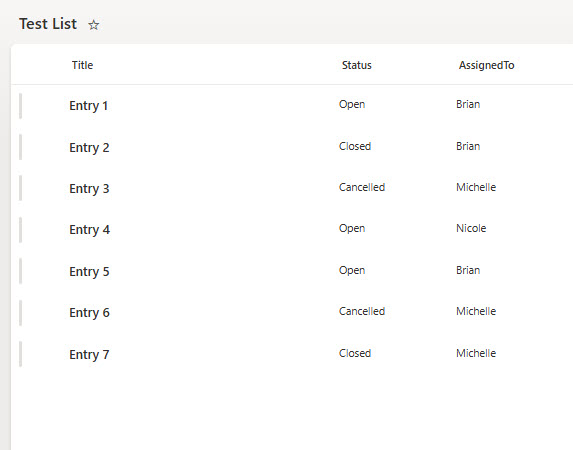
Quote from supportTeam on January 12, 2026, 3:49 pmHi Brian,
To display the total item count in a NITRO List view, please follow the steps below:
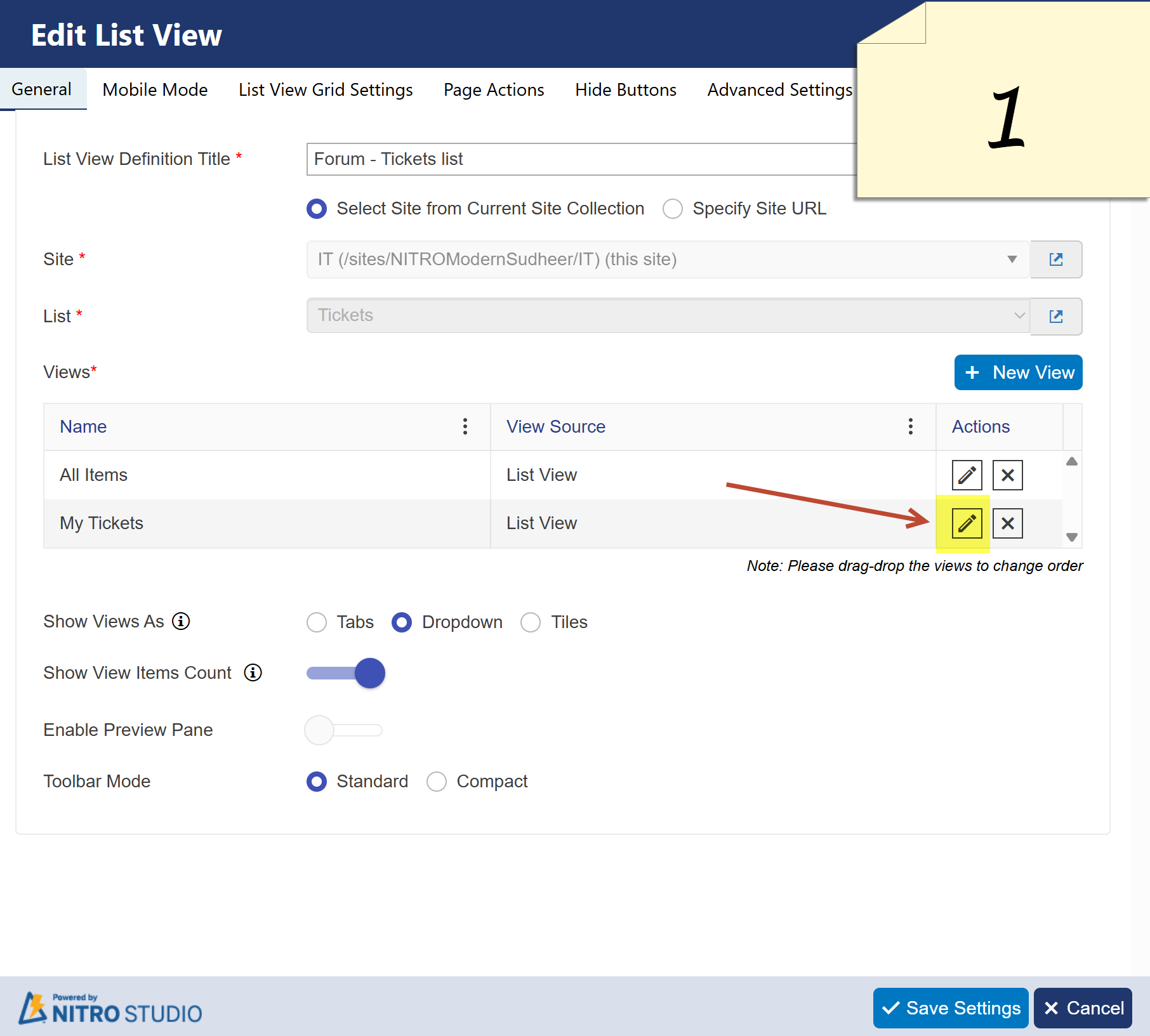
Go to NITRO List View Settings and click Edit View (as shown in Picture 1).
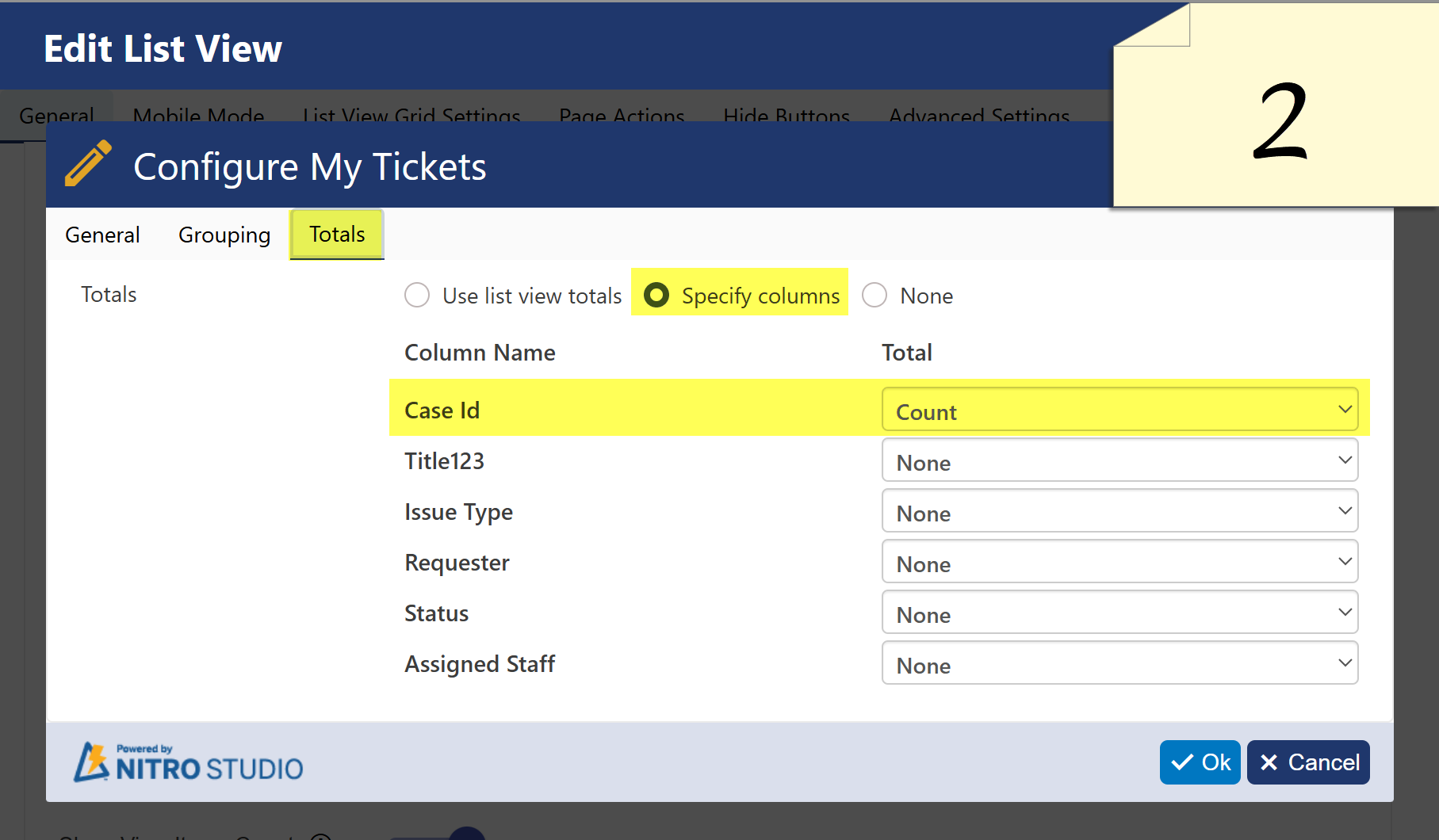
Navigate to the Totals tab, select Specify columns, then choose any column and set its value to Count.
Please ensure the selected column always has a value for all items (as shown in Picture 2).
Save the NITRO List view settings.
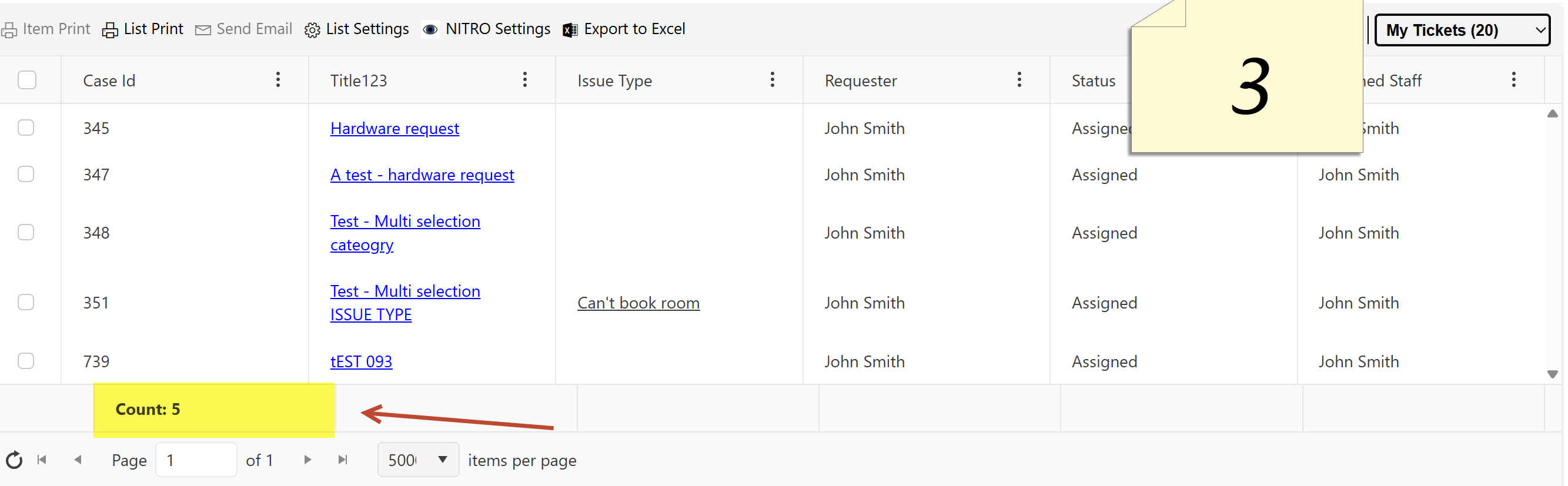
Once saved, the total count of items will appear at the bottom of the column, as shown in Picture 3.
Hi Brian,
To display the total item count in a NITRO List view, please follow the steps below:
-
Go to NITRO List View Settings and click Edit View (as shown in Picture 1).
-
Navigate to the Totals tab, select Specify columns, then choose any column and set its value to Count.
-
Please ensure the selected column always has a value for all items (as shown in Picture 2).
-
-
Save the NITRO List view settings.
Once saved, the total count of items will appear at the bottom of the column, as shown in Picture 3.
Uploaded files: