

Crow Canyon Software Forum
Setting Column Width for Lookup Columns Displayed as Grid

Quote from jlazzaro on April 13, 2026, 8:55 pmWe would like to be able to set column widths for lookup columns that have their Display As set to Grid, like we already do for associated items columns.
I've tried custom CSS (on the form and on the Branding page) and JSON column formatting on the SharePoint list settings. As far as I can tell the JavaScript under Advanced Settings is only for modifying displayed results, not changing other display formatting.
Is there another place I should be looking or should I submit this under User Voice?
We would like to be able to set column widths for lookup columns that have their Display As set to Grid, like we already do for associated items columns.
I've tried custom CSS (on the form and on the Branding page) and JSON column formatting on the SharePoint list settings. As far as I can tell the JavaScript under Advanced Settings is only for modifying displayed results, not changing other display formatting.
Is there another place I should be looking or should I submit this under User Voice?

Quote from supportTeam on April 17, 2026, 6:14 pmHi jlazzaro,
Could you please let us know if you are configuring this in a NITRO Form, NITRO List view, NITRO List search etc along with a screenshot. We can check this once we have this detail.
Hi jlazzaro,
Could you please let us know if you are configuring this in a NITRO Form, NITRO List view, NITRO List search etc along with a screenshot. We can check this once we have this detail.
Quote from jlazzaro on April 27, 2026, 4:57 pmI'm working in a NITRO Form. In the attached screenshot I would like to make the Title column in the Table section around 70% width.
I'm working in a NITRO Form. In the attached screenshot I would like to make the Title column in the Table section around 70% width.
Uploaded files: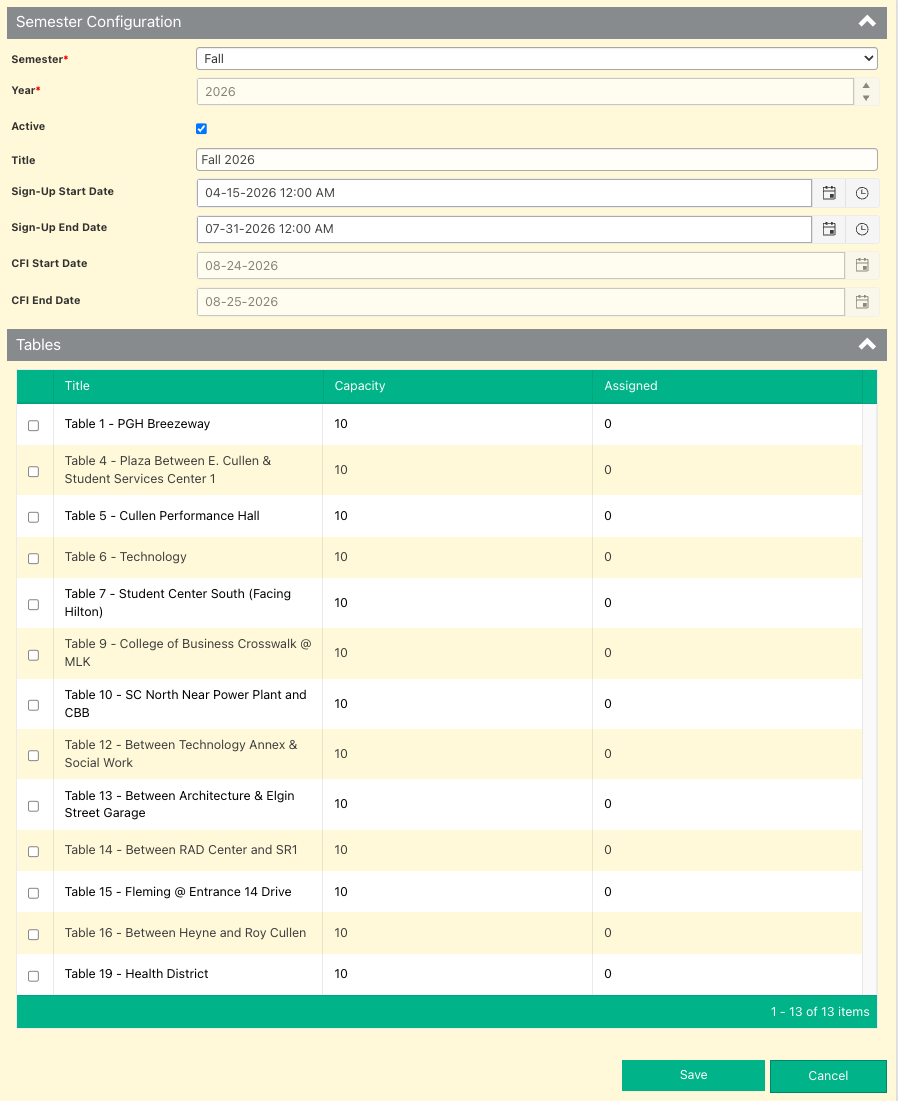
Quote from supportTeam on April 30, 2026, 3:59 pmHi jlazzaro,
We can set the width of the columns inside the associated column. Please follow the steps below to configure this:
NITRO Forms Designer → Select the Associated Item column → Edit → Go to the UI Settings tab → Populate the column width option as shown below and check the results:
{
"Title": {
"attributes": {
"style": "text-align: left"
},
"width": 600
}
}
You can change the width of the column accordingly.
Hi jlazzaro,
We can set the width of the columns inside the associated column. Please follow the steps below to configure this:
NITRO Forms Designer → Select the Associated Item column → Edit → Go to the UI Settings tab → Populate the column width option as shown below and check the results:
{
"Title": {
"attributes": {
"style": "text-align: left"
},
"width": 600
}
}
You can change the width of the column accordingly.
Uploaded files: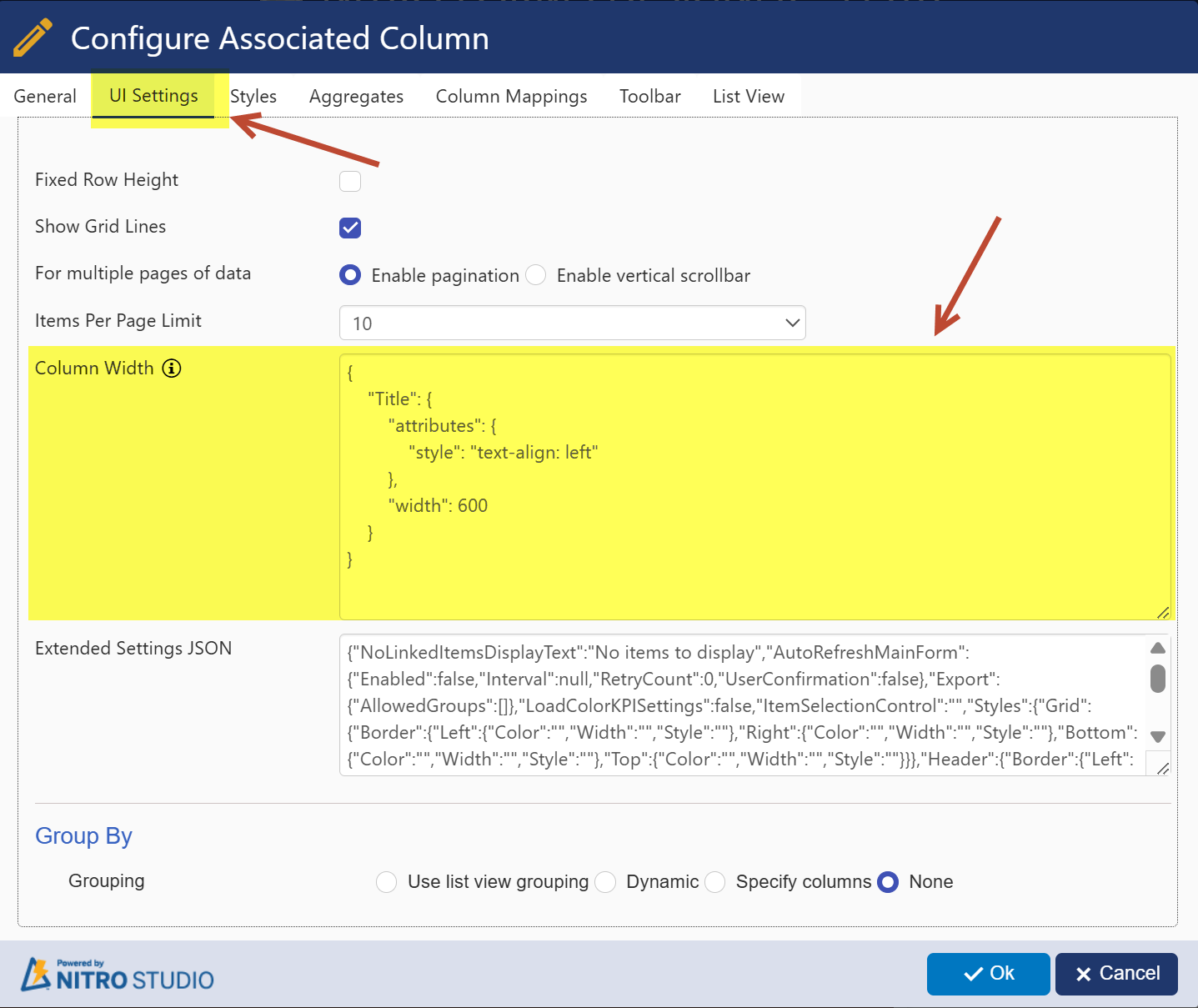
Quote from jlazzaro on May 6, 2026, 10:29 amThat works if I move to an associated items column instead of a lookup column. I think I had a reason for choosing a lookup column, but I can't remember what it was (too many concurrent projects). I'll continue with the associated items column for now. In the long run it would be nice to have this formatting option available in NITRO lookup columns, though.
Thank you!
That works if I move to an associated items column instead of a lookup column. I think I had a reason for choosing a lookup column, but I can't remember what it was (too many concurrent projects). I'll continue with the associated items column for now. In the long run it would be nice to have this formatting option available in NITRO lookup columns, though.
Thank you!